Buy Template
Tips and Tutorials

SMS Templates vs Macros: What Should Your Team Use?

Choose templates for repeated wording and consider help-desk macros when the same inbox actions repeat too. Learn how to keep saved replies current and suited to each customer.

SMS Templates vs Macros: What Should Your Team Use?

When your team texts customers from one business number, you may send the same request for information all week. Sometimes the answer needs the owner’s review. Sometimes the front desk can handle it. Saving the wording makes sense. Attaching the same next step to every reply takes more thought.

That is the useful distinction in SMS templates vs macros: what repeats—the words, the work after the reply, or both?

Our advice: start with templates when employees keep typing the same answers. Consider a help desk with macros when those answers regularly belong with the same assignment, tag, or conversation-status change. Buy for the work your team actually repeats.

SMS Templates vs Macros: What Happens When You Select One?

For this decision, a template means saved message text that someone inserts, edits, and sends. It supplies the wording while leaving the person answering to decide what happens next.

A help-desk macro can combine a saved response with inbox actions, such as assigning the conversation, adding a tag, or changing its status, depending on the software.

The names vary. Some products call reusable text alone a macro. Ask what selecting it actually changes.

Nor does “macro” necessarily mean an automatic reply. A person can select a macro, edit its text, review its actions, and then apply it. That differs from a rule triggered by an incoming message.
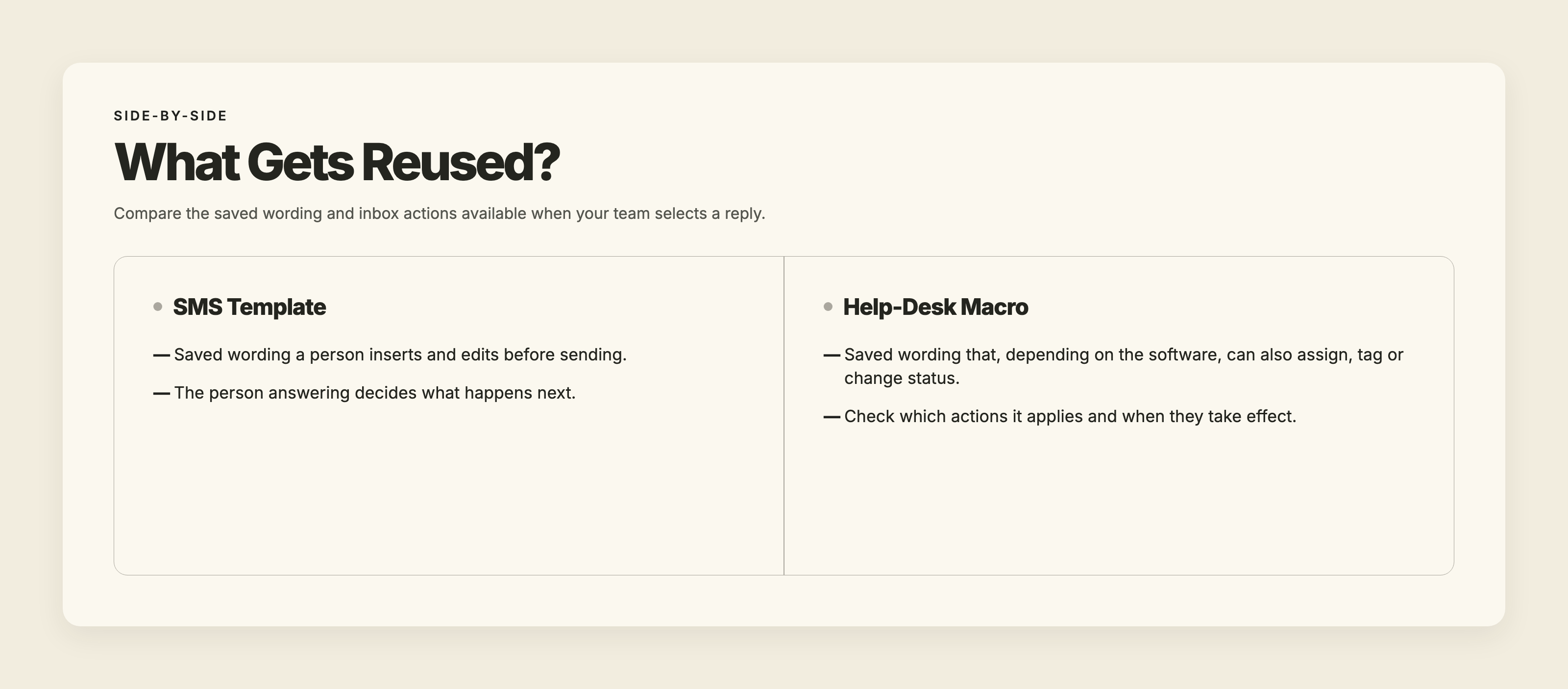
SMS templates supply wording a person inserts and edits. Help-desk macros can also assign, tag or change status, depending on the software.

The Same Saved Reply Can Need Different Next Steps

Picture an appliance repair office receiving this text:

“Our dishwasher leaves water in the bottom. Do you work on this brand?”

The employee inserts a saved request for appliance details. It asks for the brand, model number, and a description of the problem.

But the customer has already described the problem. Before sending, the employee removes that question and acknowledges the standing water. The finished reply asks only for the missing brand and model number.

That is a useful template. It helps collect information without making a promise to service the appliance.

What happens next depends on the answer. An unfamiliar brand might need the owner’s review. A brand the business regularly services might move into the usual booking process. The wording repeats; the decision varies.

Now suppose the office requires every appliance inquiry to go through technical review before anyone discusses booking. In help-desk software that supports it, a macro could combine the information request with assignment to the reviewer.

That bundled action makes sense because the office has a consistent procedure. Attaching it merely because the reply sounds familiar would be a poor reason.

Watch for promises inside saved wording, too. “Send the model number and we’ll book your visit” commits the business to more than “Send the model number so we can check whether we service it.” Decide which promise your team is authorized to make before saving either answer.

Choose Based on the Work After the Reply

Start With Templates When the Next Step Varies

We would start with templates when employees repeatedly request missing details, explain a policy, or give instructions, but still need to judge what applies to each customer.

The useful consistency is in the facts: the same service requirements, the same current policy, the same instructions. Employees should still answer the question in front of them.

When multiple employees are texting from one business number, agree on who is responsible for continuing each conversation. Saved wording cannot make that decision for you. For most small teams texting customers, we would start with well-kept templates and a clear person responsible for each conversation.

Look at volume and staffing as signs of how much work repeats. More people answering means more people need current wording. More messages mean more opportunities for repetitive work. Neither, by itself, tells you to buy macros.

Consider Macros When the Same Actions Belong With the Reply

A help desk with macros deserves a look when employees repeatedly send a reply and then perform the same inbox work to assign, track and close customer conversations.

Perhaps each information request must go to a particular reviewer. Perhaps a completed request always needs the same tag and status change. If those actions are genuinely consistent and manual handling is getting difficult, bundling them may fit your process.

Before choosing software, ask:

  • Can our team text from our business number, and do the macros work on SMS conversations?
  • What actions happen when we select the macro?
  • Can we review and change both the text and the actions?
  • Do the actions apply immediately or when we send?
  • Who updates the macro when our process changes?

Decide how to route customer messages before bundling actions with replies. Otherwise, you risk bundling an unclear process into a convenient button.

If strict routing and repeated inbox actions are central to your work, a help desk with macros may suit you better than TMMN. We offer message templates, not macros. Choose the tool that handles the job you need done.
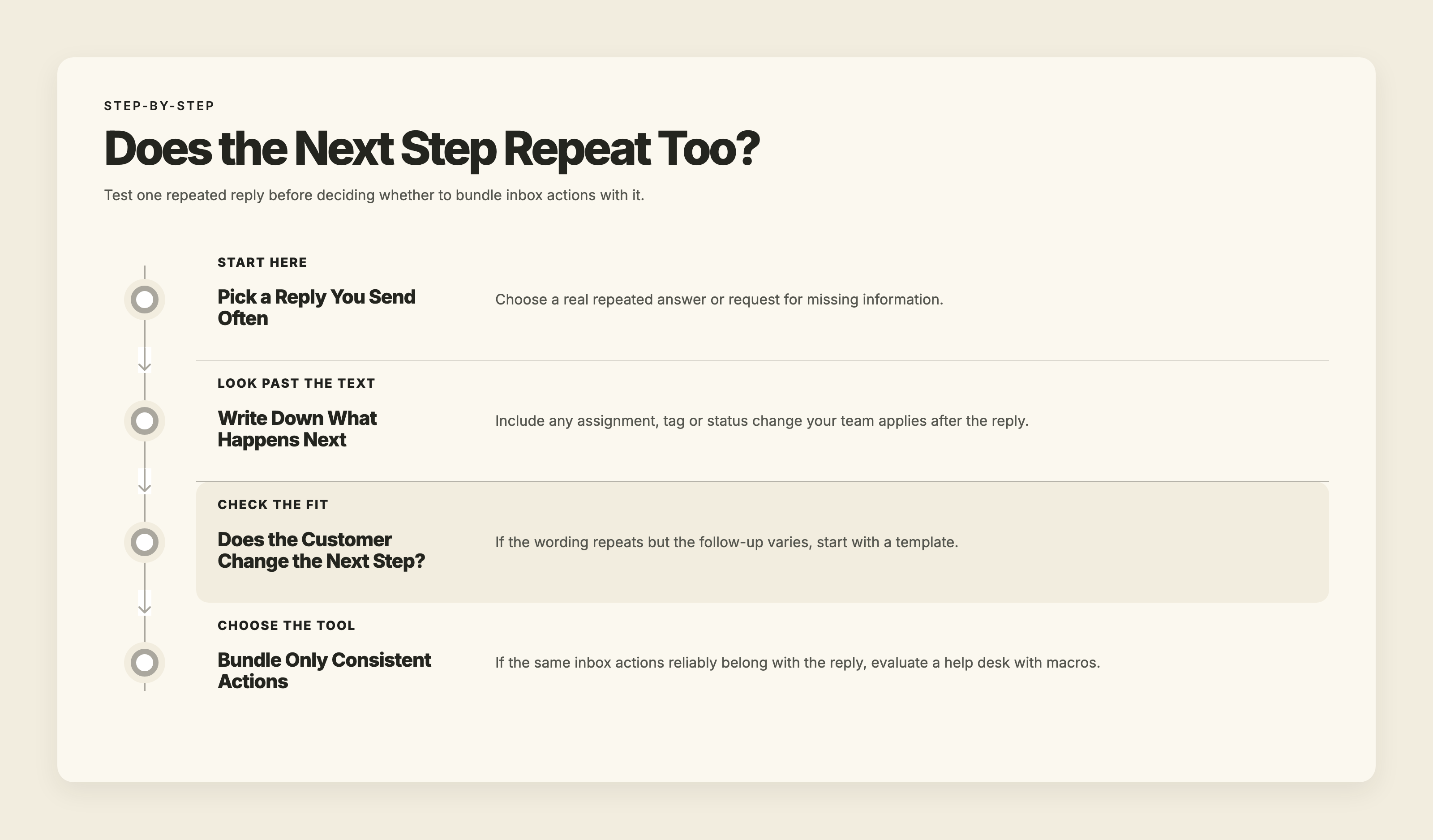
Pick a repeated reply, list the next actions, and check what varies. Start with templates for variable follow-up; evaluate macros for consistent inbox actions.

Keep a Small Set of Replies Your Team Can Trust

A saved reply is useful only if employees can find the right one and trust what it says. We would rather have a small, current collection than a long menu of near-duplicates.

  1. Save real repeated situations. Start with wording employees already type regularly. Include requests for missing information, not just answers to questions. If you need help finding repeated customer questions, review your conversation history before writing more replies.
  2. Name each reply by purpose. “Request Appliance Model Number” tells an employee when to use it. “General Reply” makes them open it to find out.
  3. Keep each reply focused. Avoid saving a long explanation that covers every possible situation. Employees should be able to understand the whole reply before deciding whether it fits.
  4. Read, insert, and edit. Remove questions the customer has already answered. Add the relevant details manually. Check that the reply addresses the latest message rather than an earlier question in the thread.
  5. Put someone in charge of maintenance. Review affected replies when prices, policies, or services change. Remove obsolete versions so employees aren’t choosing between conflicting answers.

For macros, maintenance includes the attached actions. Correct wording paired with an outdated assignment still sends work to the wrong place. Review both whenever the procedure changes.
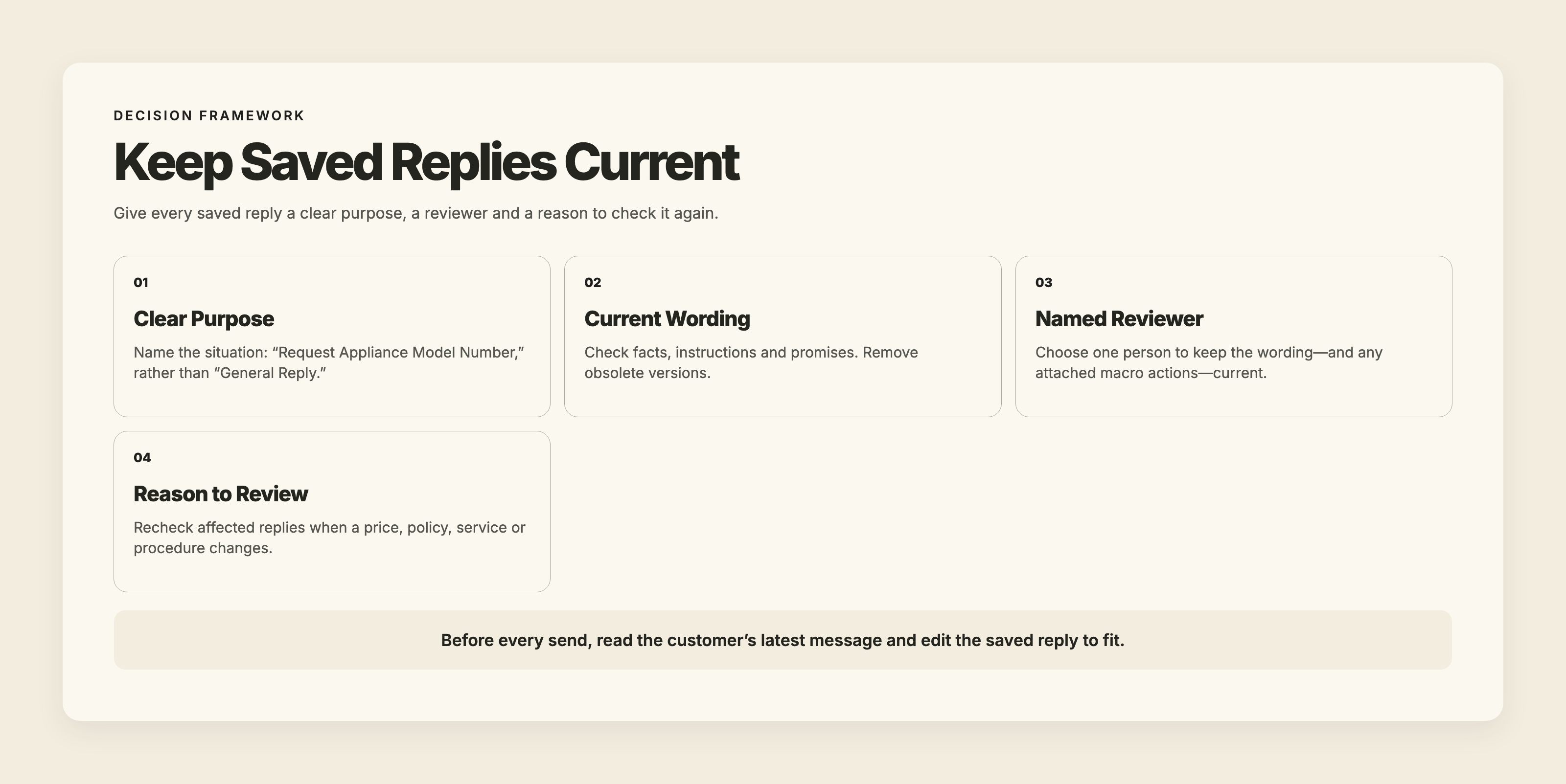
Saved-reply maintenance checklist: clear purpose, current wording, named reviewer and review after changes. Edit each reply for the customer before sending.

What Your Team Can Do With TMMN Templates

TMMN lets you insert a saved message template into the message box from the messenger or a conversation, then edit it before sending.

Customer-specific details are entered manually. Our templates have no merge fields, keyboard shortcuts, or bundled inbox actions. Template counts depend on the plan; our pricing page has the plan details.

Each user has their own login, and everyone assigned to a number sees the same conversations. Your team decides who continues the conversation and how to hand it off. That responsibility is a working agreement, separate from the saved wording.

Before adding more software, open a reply your team uses often. Check the words, then ask what sending it commits someone to do next. Reuse the wording when it helps. Bundle the next step only when it reliably belongs with that reply.

Try your team’s repeated replies with TMMN’s 14-day free trial.

Ready To Strengthen Your Customer Connections?

Start your free 14-day trial and experience the impact of efficient business texting on your customer engagement.

 ·
November 12, 2026

SMS Templates vs Macros: What Should Your Team Use?

Choose templates for repeated wording and consider help-desk macros when the same inbox actions repeat too. Learn how to keep saved replies current and suited to each customer.

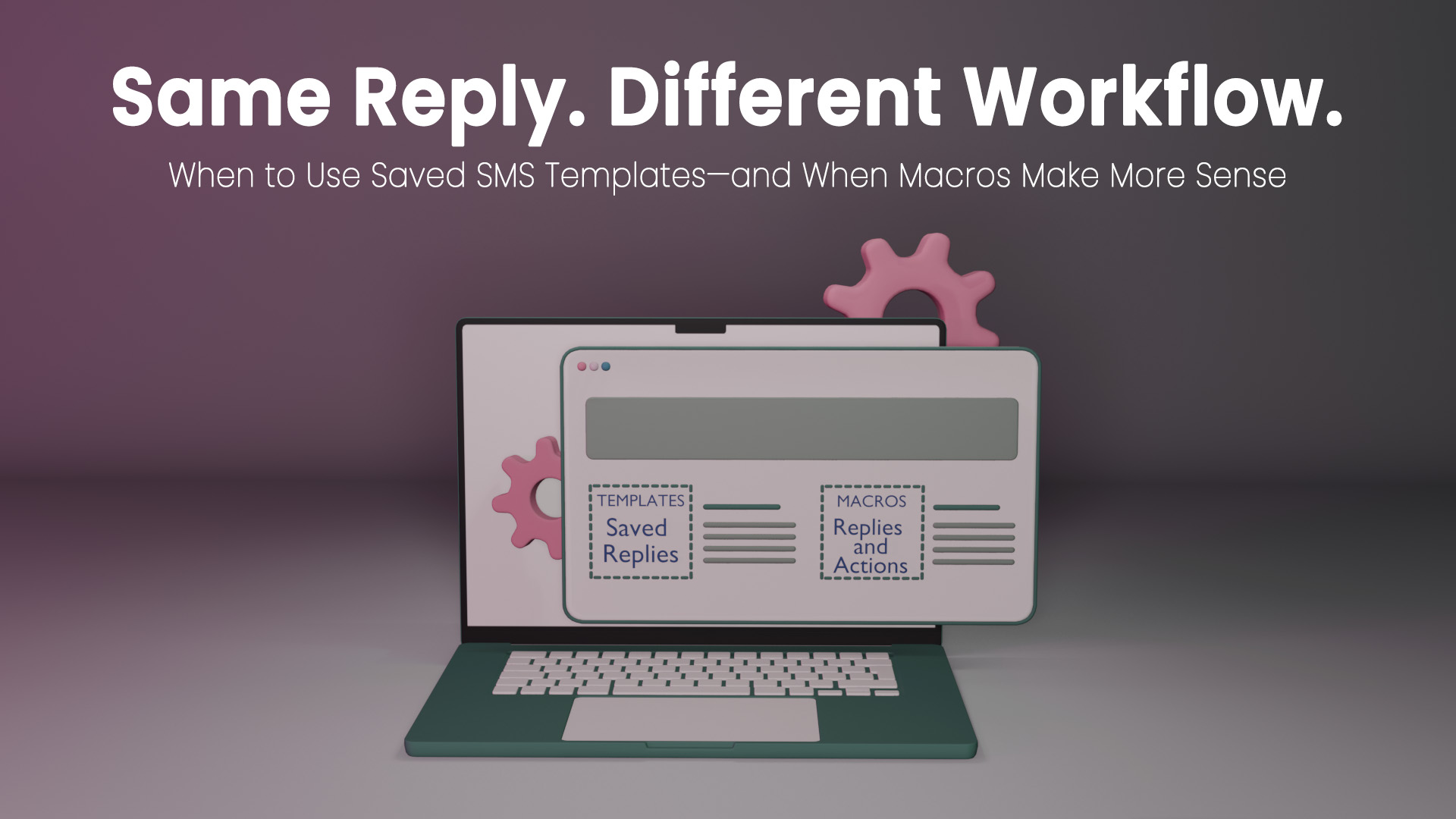
3D illustration of a laptop displaying SMS templates for saved replies and macros for replies with actions, beneath the headline “Same Reply. Different Workflow.”

When your team texts customers from one business number, you may send the same request for information all week. Sometimes the answer needs the owner’s review. Sometimes the front desk can handle it. Saving the wording makes sense. Attaching the same next step to every reply takes more thought.

That is the useful distinction in SMS templates vs macros: what repeats—the words, the work after the reply, or both?

Our advice: start with templates when employees keep typing the same answers. Consider a help desk with macros when those answers regularly belong with the same assignment, tag, or conversation-status change. Buy for the work your team actually repeats.

SMS Templates vs Macros: What Happens When You Select One?

For this decision, a template means saved message text that someone inserts, edits, and sends. It supplies the wording while leaving the person answering to decide what happens next.

A help-desk macro can combine a saved response with inbox actions, such as assigning the conversation, adding a tag, or changing its status, depending on the software.

The names vary. Some products call reusable text alone a macro. Ask what selecting it actually changes.

Nor does “macro” necessarily mean an automatic reply. A person can select a macro, edit its text, review its actions, and then apply it. That differs from a rule triggered by an incoming message.

SMS templates supply wording a person inserts and edits. Help-desk macros can also assign, tag or change status, depending on the software.

The Same Saved Reply Can Need Different Next Steps

Picture an appliance repair office receiving this text:

“Our dishwasher leaves water in the bottom. Do you work on this brand?”

The employee inserts a saved request for appliance details. It asks for the brand, model number, and a description of the problem.

But the customer has already described the problem. Before sending, the employee removes that question and acknowledges the standing water. The finished reply asks only for the missing brand and model number.

That is a useful template. It helps collect information without making a promise to service the appliance.

What happens next depends on the answer. An unfamiliar brand might need the owner’s review. A brand the business regularly services might move into the usual booking process. The wording repeats; the decision varies.

Now suppose the office requires every appliance inquiry to go through technical review before anyone discusses booking. In help-desk software that supports it, a macro could combine the information request with assignment to the reviewer.

That bundled action makes sense because the office has a consistent procedure. Attaching it merely because the reply sounds familiar would be a poor reason.

Watch for promises inside saved wording, too. “Send the model number and we’ll book your visit” commits the business to more than “Send the model number so we can check whether we service it.” Decide which promise your team is authorized to make before saving either answer.

Choose Based on the Work After the Reply

Start With Templates When the Next Step Varies

We would start with templates when employees repeatedly request missing details, explain a policy, or give instructions, but still need to judge what applies to each customer.

The useful consistency is in the facts: the same service requirements, the same current policy, the same instructions. Employees should still answer the question in front of them.

When multiple employees are texting from one business number, agree on who is responsible for continuing each conversation. Saved wording cannot make that decision for you. For most small teams texting customers, we would start with well-kept templates and a clear person responsible for each conversation.

Look at volume and staffing as signs of how much work repeats. More people answering means more people need current wording. More messages mean more opportunities for repetitive work. Neither, by itself, tells you to buy macros.

Consider Macros When the Same Actions Belong With the Reply

A help desk with macros deserves a look when employees repeatedly send a reply and then perform the same inbox work to assign, track and close customer conversations.

Perhaps each information request must go to a particular reviewer. Perhaps a completed request always needs the same tag and status change. If those actions are genuinely consistent and manual handling is getting difficult, bundling them may fit your process.

Before choosing software, ask:

  • Can our team text from our business number, and do the macros work on SMS conversations?
  • What actions happen when we select the macro?
  • Can we review and change both the text and the actions?
  • Do the actions apply immediately or when we send?
  • Who updates the macro when our process changes?

Decide how to route customer messages before bundling actions with replies. Otherwise, you risk bundling an unclear process into a convenient button.

If strict routing and repeated inbox actions are central to your work, a help desk with macros may suit you better than TMMN. We offer message templates, not macros. Choose the tool that handles the job you need done.

Pick a repeated reply, list the next actions, and check what varies. Start with templates for variable follow-up; evaluate macros for consistent inbox actions.

Keep a Small Set of Replies Your Team Can Trust

A saved reply is useful only if employees can find the right one and trust what it says. We would rather have a small, current collection than a long menu of near-duplicates.

  1. Save real repeated situations. Start with wording employees already type regularly. Include requests for missing information, not just answers to questions. If you need help finding repeated customer questions, review your conversation history before writing more replies.
  2. Name each reply by purpose. “Request Appliance Model Number” tells an employee when to use it. “General Reply” makes them open it to find out.
  3. Keep each reply focused. Avoid saving a long explanation that covers every possible situation. Employees should be able to understand the whole reply before deciding whether it fits.
  4. Read, insert, and edit. Remove questions the customer has already answered. Add the relevant details manually. Check that the reply addresses the latest message rather than an earlier question in the thread.
  5. Put someone in charge of maintenance. Review affected replies when prices, policies, or services change. Remove obsolete versions so employees aren’t choosing between conflicting answers.

For macros, maintenance includes the attached actions. Correct wording paired with an outdated assignment still sends work to the wrong place. Review both whenever the procedure changes.

Saved-reply maintenance checklist: clear purpose, current wording, named reviewer and review after changes. Edit each reply for the customer before sending.

What Your Team Can Do With TMMN Templates

TMMN lets you insert a saved message template into the message box from the messenger or a conversation, then edit it before sending.

Customer-specific details are entered manually. Our templates have no merge fields, keyboard shortcuts, or bundled inbox actions. Template counts depend on the plan; our pricing page has the plan details.

Each user has their own login, and everyone assigned to a number sees the same conversations. Your team decides who continues the conversation and how to hand it off. That responsibility is a working agreement, separate from the saved wording.

Before adding more software, open a reply your team uses often. Check the words, then ask what sending it commits someone to do next. Reuse the wording when it helps. Bundle the next step only when it reliably belongs with that reply.

Try your team’s repeated replies with TMMN’s 14-day free trial.

This article first appeared on Text My Main Number.

Keep reading.

All articles

Ready to talk it through?

When you’re ready to compare options, we’ll help you work out what fits.

Talk with us
Or call 1-800-797-3167