

A customer arrives at the wrong loading entrance. Your team says it texted the new pickup instructions. The customer says no message came through. Your screen says “sent.”
Both accounts may be accurate.
An SMS delivery status reports what your messaging service knows about a sending attempt. It might confirm a successful handoff, report delivery, identify a failure, or leave the outcome unresolved. The exact meaning depends on the service displaying it.
The useful question is where that service’s knowledge ends. Before resending the instructions or blaming the customer’s phone, check what the label actually confirms.
What each SMS delivery status means
These labels are common, but their definitions are not universal. A word you recognize from your previous provider may describe a different stage in your current service.
AWS’s SMS documentation, for example, distinguishes carrier acceptance from device acceptance. It also describes unknown outcomes caused by missing final feedback or an unspecified error. Those distinctions matter when deciding what to do next.
Sent: a successful handoff
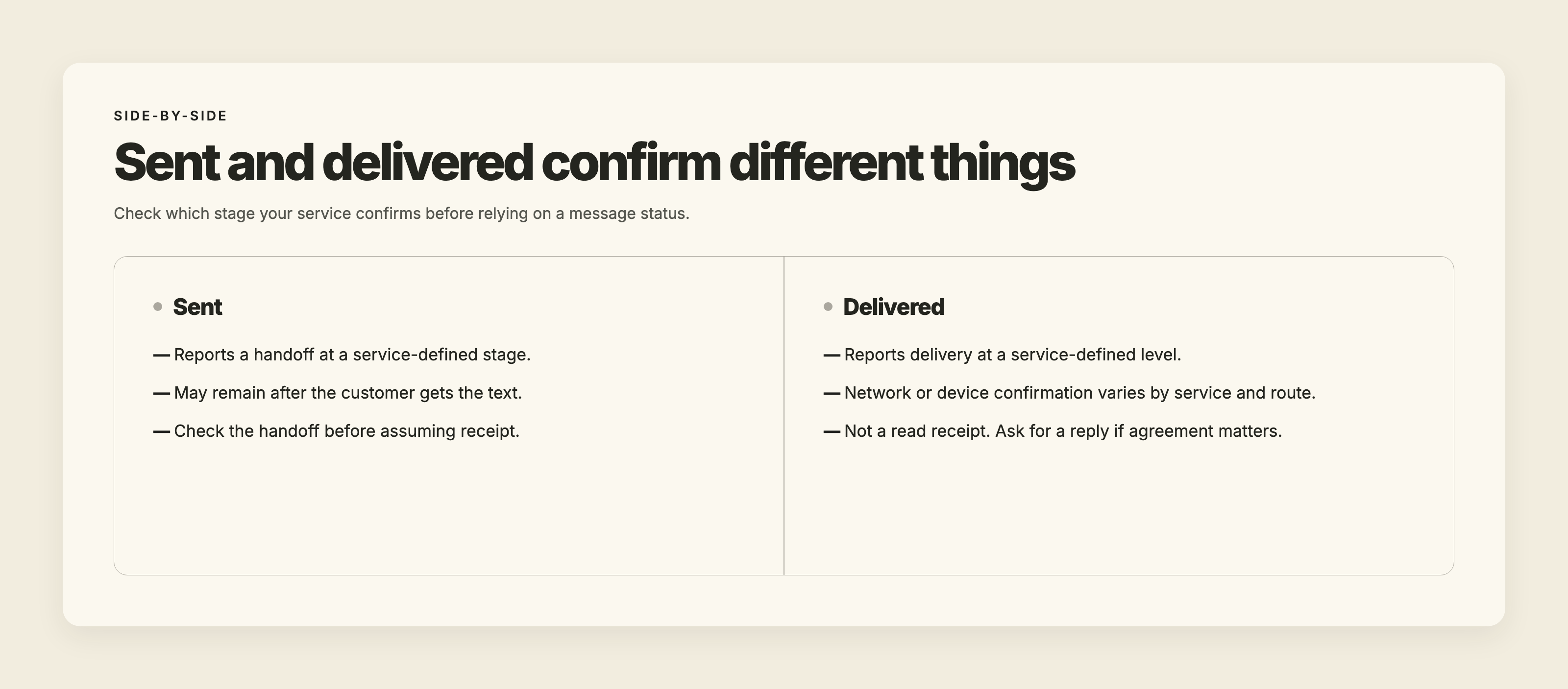
“Sent” usually means a transfer succeeded at a particular stage. Find out which transfer your provider means.
It may mean the service’s messaging partner accepted the text, or that a carrier accepted it. Neither necessarily confirms that the customer’s phone received it.
A customer can receive a message while your screen continues to show “sent.” Later feedback may be unavailable, or the service may not display delivery reports. Carrier acceptance can be the last success report you see, even after the message arrives.
Delivered: delivery confirmation, without a read receipt
“Delivered” means the service has a delivery confirmation at the level its documentation describes. Depending on the service and route, that can concern the carrier network or the receiving device. Do not assume every delivered label means handset receipt.
Ordinary SMS has no read receipts, as Apple’s messaging guidance explains. Delivery reporting cannot tell you whether the customer noticed the text, understood it, or agreed to anything in it.
For the loading-entrance problem, a delivery confirmation would be useful evidence about transmission. It would not prove the customer saw the directions before leaving.
Failed or undelivered: read the reason
Services draw the line between these labels differently. The explanation beside the result is often more useful than the label itself.
Delivery logs can distinguish invalid destinations, unreachable devices, opted-out recipients, and other conditions.
An invalid destination needs correction. A temporary reachability problem may justify another attempt under the provider’s guidance. A recipient’s opt-out means you should stop texting them.
Those are different decisions, even if the screen offers the same resend button for all three.
Our guide to why business texts aren’t delivering covers broader troubleshooting. Begin with the reason attached to the affected attempt rather than working through every possible cause.
Unknown: the service lacks a clear outcome
“Unknown” can mean that final feedback never arrived. It can also describe an unspecified delivery error. Both uses appear in AWS’s SMS documentation.
Read your provider’s definition and any accompanying explanation. The label alone does not tell you that the number is invalid or that the phone is unreachable.
When the missing information is a final receipt, the original text may already have arrived. Treat the outcome as uncertain rather than automatically counting it as a failed delivery.
Expired: the delivery validity period ended
“Expired” means the time allowed for delivery has run out. SMS technical standards distinguish expiration from an outcome left unresolved by missing feedback.
Expiration alone does not explain why delivery failed to complete. It is not enough to conclude that the customer switched off their phone.
Before trying again, check whether the message still makes sense. Directions may remain useful. A promise to hold equipment until a deadline that has already passed needs a new decision, not an automatic resend.
Why the status can lag behind the message
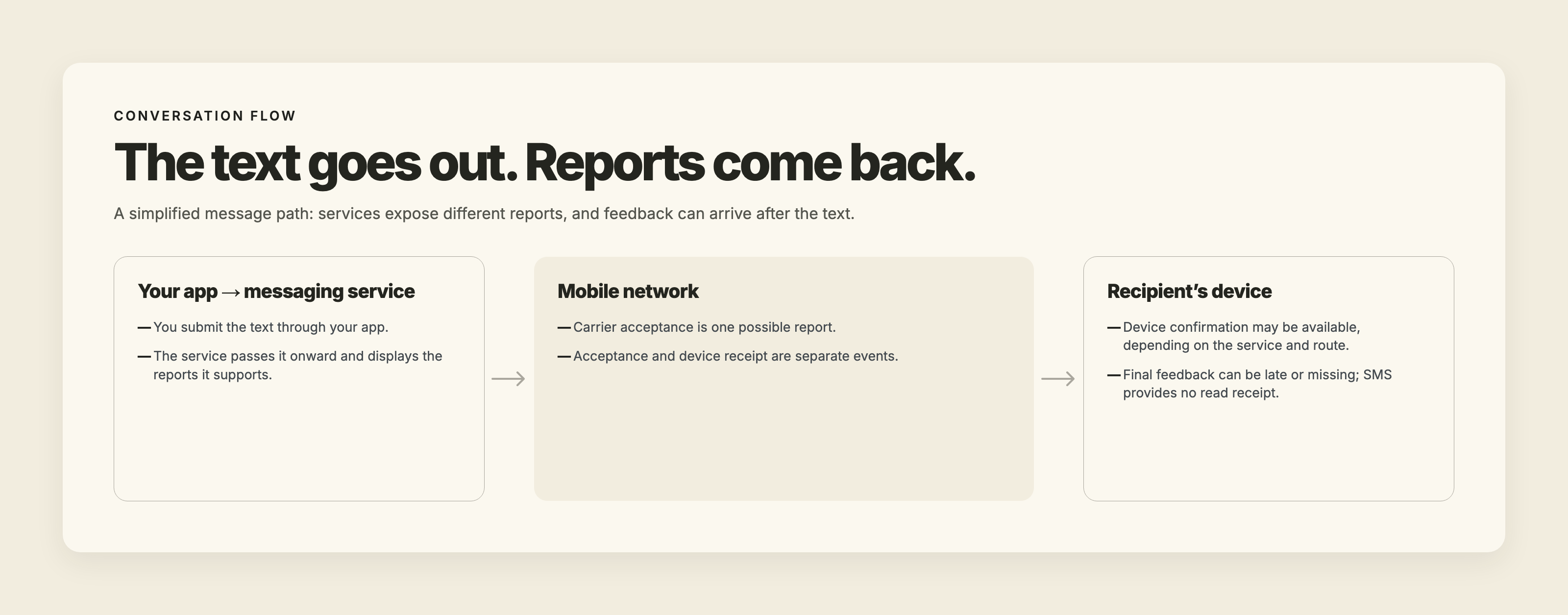
Sending the text and reporting its progress are separate processes.
Your service submits the message onward. Reports about acceptance or delivery return from different stages, and your screen reflects the reports your service receives and displays.
AWS’s documentation warns that feedback can arrive after the message itself and that final feedback can be missing. The time a label spends on your screen is therefore not a reliable measure of how long the customer waited.
SMS also has no guaranteed completion time. There is no universal countdown after which a resend becomes the right choice.
There is a separate question of visibility on the phone. Apple documents a Messages spam-filtering feature that moves detected spam to a Spam folder without notifying the recipient. That describes the feature’s behavior, not every missing text or every iPhone.
If a customer reports a missing text, ask whether they can check their messaging app’s spam or filtered-message folder. There is no need to suggest turning off spam protection. Finding a message there helps explain the customer’s experience without assuming what delivery result your provider should have shown.
Should you wait, investigate, retry, or call?
First decide what you are trying to accomplish. Investigating a send and getting an answer from a customer are related jobs, but one does not always resolve the other.
Wait when another copy would add no useful information
A customer who has not replied may have received the message. Silence alone does not diagnose a delivery problem.
For a routine update, review the original attempt and your provider’s status definition before sending again. If there is no deadline, no reported failure, and nothing new to say, another copy may add confusion rather than help.
The original may already be on the phone. Several identical copies of corrected instructions can make a customer wonder whether something has changed again.
Investigate a reported failure before retrying
Use the failure reason to decide what needs attention.
If it identifies an account limit, address that limit. If it identifies an invalid destination, verify the number. For a temporary condition, follow the service’s retry guidance rather than assuming every failure will clear on its own.
Do not retry an opted-out recipient or switch numbers to get around the opt-out.
Read the message again before making a fresh attempt. Prices, equipment availability, access arrangements, and deadlines may have changed while the problem was being investigated. Successful transmission of outdated information creates another problem.
Call when the business needs an answer
If the customer is already heading toward the wrong loading entrance, call them. A delivery investigation can continue after they have usable directions.
The same distinction matters when work requires permission. If production must stop until the customer approves a revised proof, decide when someone will call for that approval. Base the deadline on the consequence of waiting, rather than on how long the screen has displayed “sent.”
Our guide to when to use SMS vs phone vs email can help with that choice. Change channels when you need a timely conversation.
Give support the original message record
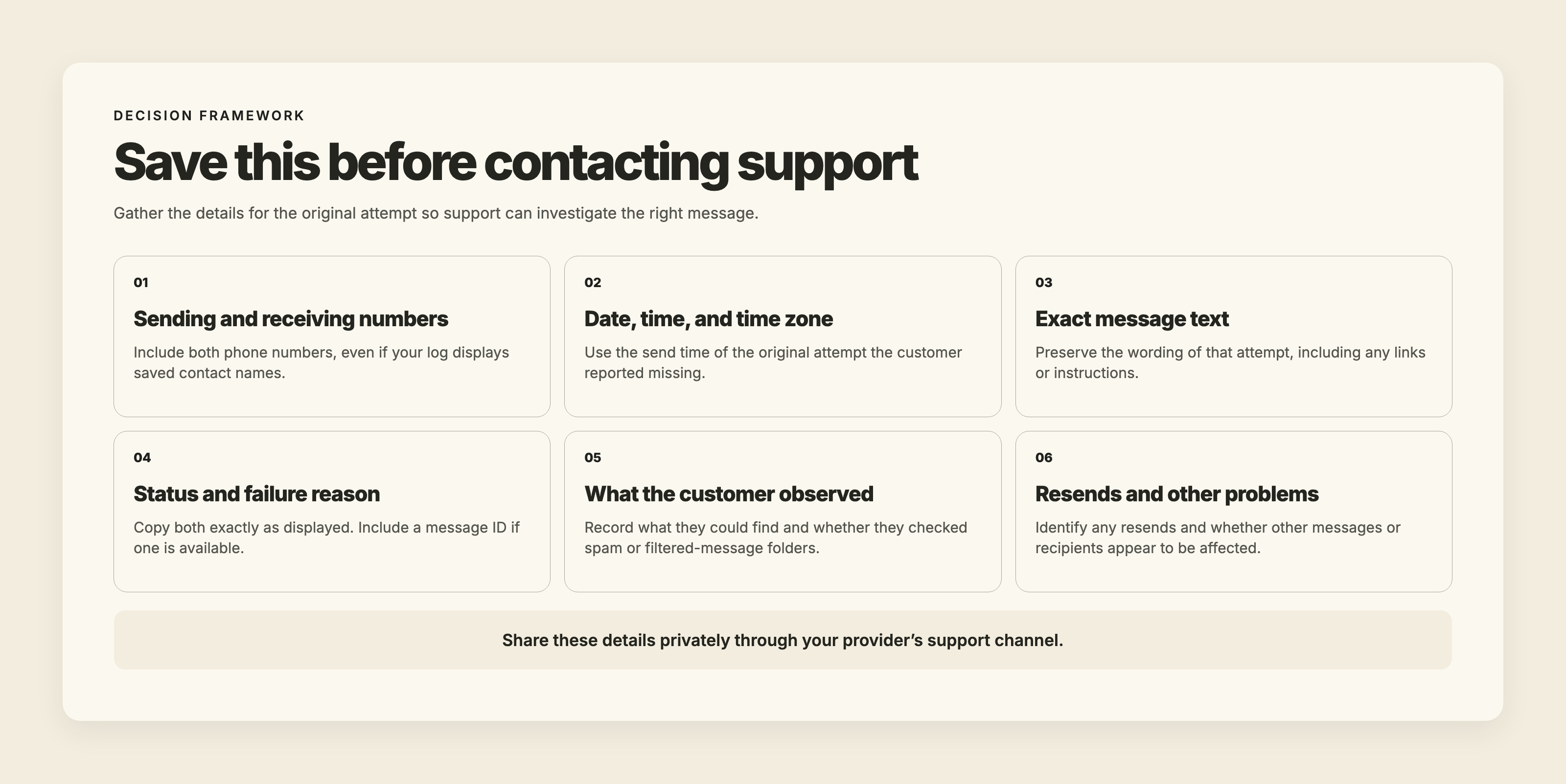
A useful support request lets someone locate the exact attempt that caused the complaint. Preserve the original record before creating more attempts.
Privately supply the sending and receiving numbers, the send date and time with the time zone, and the exact message text. Include the displayed status, the failure reason exactly as shown, and a message ID if one is available. These details give support a specific attempt to investigate.
Explain what the customer reported, too. “The customer found it in a filtered folder” and “the customer still cannot find it” are different observations.
If you already resent the text, identify which attempt the customer reported missing. A successful later attempt does not explain what happened to the first one. Say whether other messages or recipients appear to be affected, too.
We check our side before telling a client the problem is elsewhere. With permission, we also look inside their account at what we can verify. A clean handoff is evidence worth sharing, but it is no reason to dismiss a customer who says the message never appeared.
Send those details through your provider’s support channel rather than posting customer information publicly.
What “sent” means in TMMN
In TMMN, “sent” means we handed the message to our carrier partner without an error. We do not currently show a delivered status.
That result confirms the handoff, not receipt on the customer’s device. A message marked sent can still encounter a later delivery problem that this label does not report.
TMMN’s other statuses include pending/scheduled, failed with a reason, and canceled. Inbound messages are marked received.
Failure reasons include account expiration, reaching the monthly message limit, recipient opt-out, and a send error from our carrier partner. Read the reason for the individual attempt before deciding what to do.
For teams with multiple employees texting from one business number, the message log identifies the user behind each outgoing text. That helps you find the attempt without relying on who remembers sending it.
Users with message-log permission can export records as Excel, CSV, or PDF. The records include dates, text, direction, sender/receiver, and the sending team member. Saved contact names replace phone numbers in the sender/receiver fields.
Keep the customer’s report alongside those records. The export shows what the system recorded; the customer can describe what appeared on their phone.
Decide what counts as confirmation before work begins
Pick one exchange where acting too soon costs your business money: ordering a part, reserving equipment, or approving a production run.
Tell your team what customer response they need before proceeding. For a substitution, that means agreement to the substitution. For a revised proof, it means approval of that version.
TMMN’s 14-day free trial lets you try business texting and review the available message records using your existing landline or VoIP number.
Before the next costly step, make the required response explicit in the conversation. Use delivery status to investigate the text. Use the customer’s answer to authorize the work.

.svg)